
Tutor for iPhoto for iOS1.5 - App Store
You'll be able to see results in few seconds.
Publisher Description
PLEASE NOTE: This tutorial is for the previous version of iPhoto and not for the version released in October of 2013.
Learn how to edit and organize your photos with iPhoto, available separately on the App store.
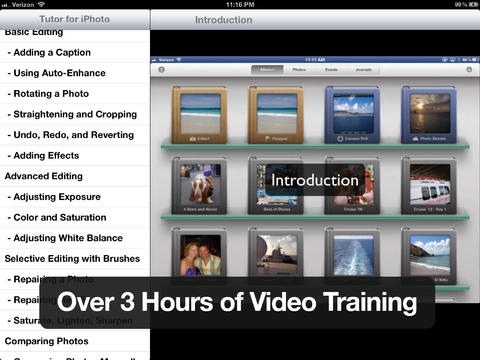
Tutor for iPhoto is nearly 3 1/2 hours and includes 48 how-to videos on iPhoto. The videos cover everything from the interface to importing your photos and videos to adjusting the exposure to repairing photos to flagging photos to sharing with Facebook. Everything you need to organize, edit, and share your photos!
All videos are stored on your iPad so you do not need to use your bandwidth to watch. Keep it on your device for reference.
Airplay enabled! You can watch the tutorial on your AppleTV 2!
Find out how to:
- get around the App
- magnify on a photo using the loupe
- import videos using iMovie
- straighten photos with one tap
- add effects
- adjust exposure
- change the white balance
- adjust the color and saturation
- repair a photo
- repair red-eye
- compare photos
- flag and favor photos
- save back to your camera roll
- share to Twitter, Flickr, and Facebook
- create journals
- add pages to journals
- add the weather and maps to journals
- do more with iPhoto on your iPad!
Videos included:
Introduction
- Photos App vs. iPhoto
Interface
- Albums, Photos, and Events
- Selecting the Key Photo
- Using the Loupe
- Edit Mode
- Icons and Indicators
- Help Guide and Tool Tips
Importing Photos and Videos
- Importing Your Photos
- Importing Your Videos
Basic Editing
- Adding a Caption
- Using Auto-Enhance
- Rotating a Photo
- Straightening and Cropping
- Undo, Redo, and Reverting
- Adding Effects
Advance Editing
- Adjusting Exposure
- Color & Saturation
- Adjusting White Balance
Selective Editing with Brushes
- Repairing a Photo
- Repairing Red Eye
- Saturate, Lighten, Sharpen
Comparing Photos
- Selecting Photos Manually
- Having iPhoto Auto-Compare
Selecting Photos
- Flagging Photos
- Favoring and Hiding Photos
Saving & Sharing Photo
- Sharing to the Cameral Roll
- Sharing to iTunes
- Beaming your Photos
- Emailing your Photos
- Sharing to Social Networks
- Viewing a Slideshow
Organizing with Journals
- What is a Journal?
- Create, Favor, and Delete
- Adding Photos and Pages
- Adding Custom Items
- Editing a Journal
- Sharing Journals
Conclusion
Get the most out of iPhoto on your iPad with this Video Tutorial!
Requires iOS 5.0 or later. Compatible with iPad.
About Tutor for iPhoto for iOS
The company that develops Tutor for iPhoto for iOS is Noteboom Productions, Ltd.. The latest version released by its developer is 1.5.
To install Tutor for iPhoto for iOS on your iOS device, just click the green Continue To App button above to start the installation process. The app is listed on our website since 2012-04-16 and was downloaded 0 times. We have already checked if the download link is safe, however for your own protection we recommend that you scan the downloaded app with your antivirus. Your antivirus may detect the Tutor for iPhoto for iOS as malware if the download link is broken.
How to install Tutor for iPhoto for iOS on your iOS device:
- Click on the Continue To App button on our website. This will redirect you to the App Store.
- Once the Tutor for iPhoto for iOS is shown in the iTunes listing of your iOS device, you can start its download and installation. Tap on the GET button to the right of the app to start downloading it.
- If you are not logged-in the iOS appstore app, you'll be prompted for your your Apple ID and/or password.
- After Tutor for iPhoto for iOS is downloaded, you'll see an INSTALL button to the right. Tap on it to start the actual installation of the iOS app.
- Once installation is finished you can tap on the OPEN button to start it. Its icon will also be added to your device home screen.
Program Details
System requirements
Download information
Pricing
Version History
version 1.5
posted on 2012-04-16
Disclaimer
Official App Store Link
We do not host Tutor for iPhoto for iOS on our servers. We did not scan it for viruses, adware, spyware or other type of malware. This app is hosted by Apple and passed their terms and conditions to be listed there. We recommend caution when installing it.
The App Store link for Tutor for iPhoto for iOS is provided to you by apps112.com without any warranties, representations or guarantees of any kind, so access it at your own risk.
If you have questions regarding this particular app contact the publisher directly. For questions about the functionalities of apps112.com contact us.
